HandyNation
FeaturesPricingCustom AppDocsSupportPartnership
Log in
Docs/Events
  • Getting Started

    • Account Setup & Installation
    • Manage Subscription
  • Team Setup

    • Manage team member
    • Team member login
    • Permission sets
  • CRM

    • Manage user record
    • Advanced search
    • Tag a user
    • NationBuilder Tags
    • NationBuilder list
    • User actions
    • Nearby (proximity list)
  • Canvassing

    • Create canvassing list
    • Canvassing on the field
  • Events

    • Events
    • QR based RSVP
  • Multi Language

    • Select app language
    • Customize language text
  • Donations

    • View Donations
    • Add donation
Dashboard & field appUpdated on 11 August 2026

Events

Table of Contents

  1. Event list
  2. Event details
  3. RSVP to event
  4. Check-in to event
  5. Cancel RSVP

Event list

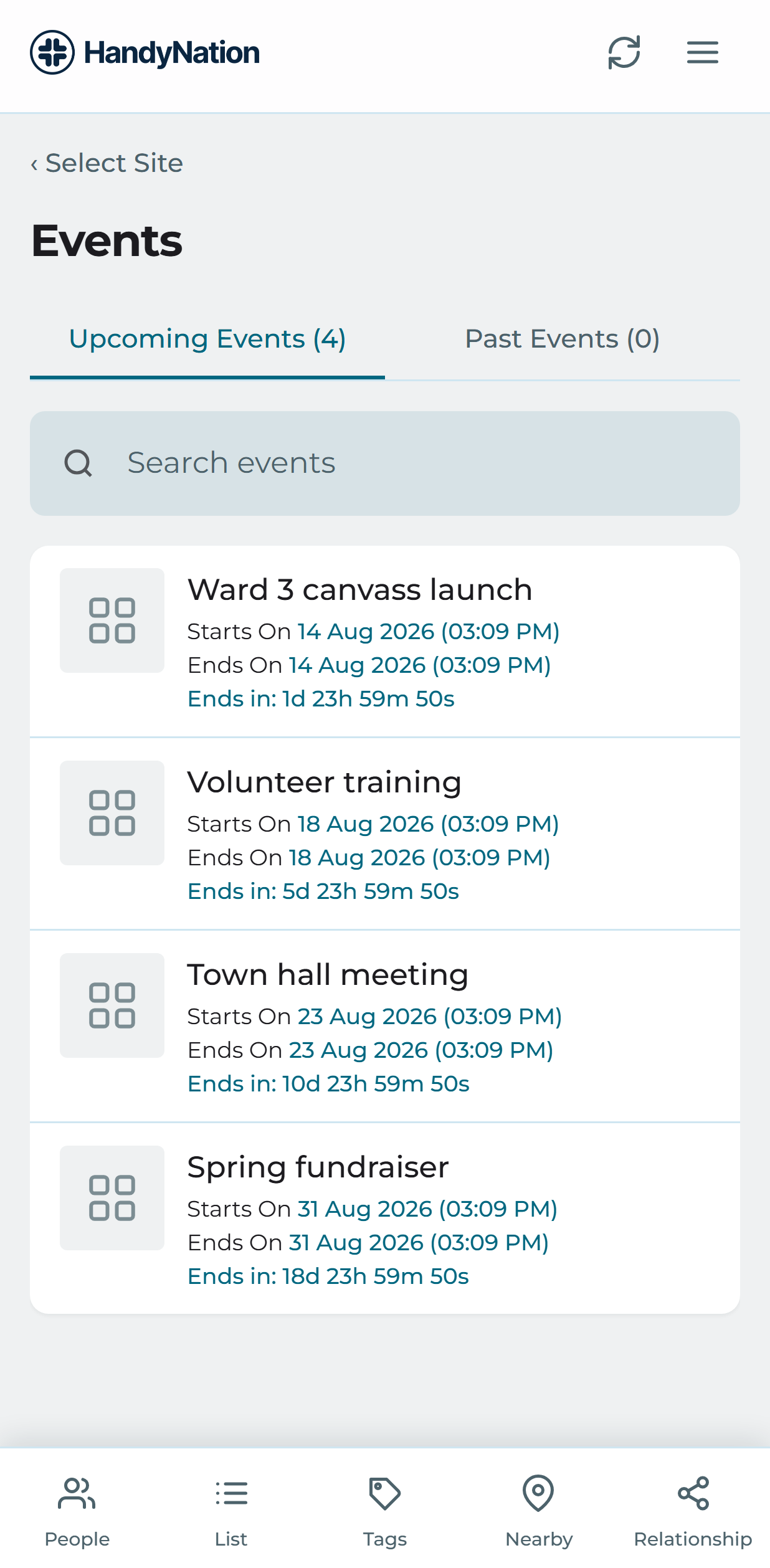
In the field app, open Events to see your sites. Pick the site your event belongs to and the upcoming events under it are listed.
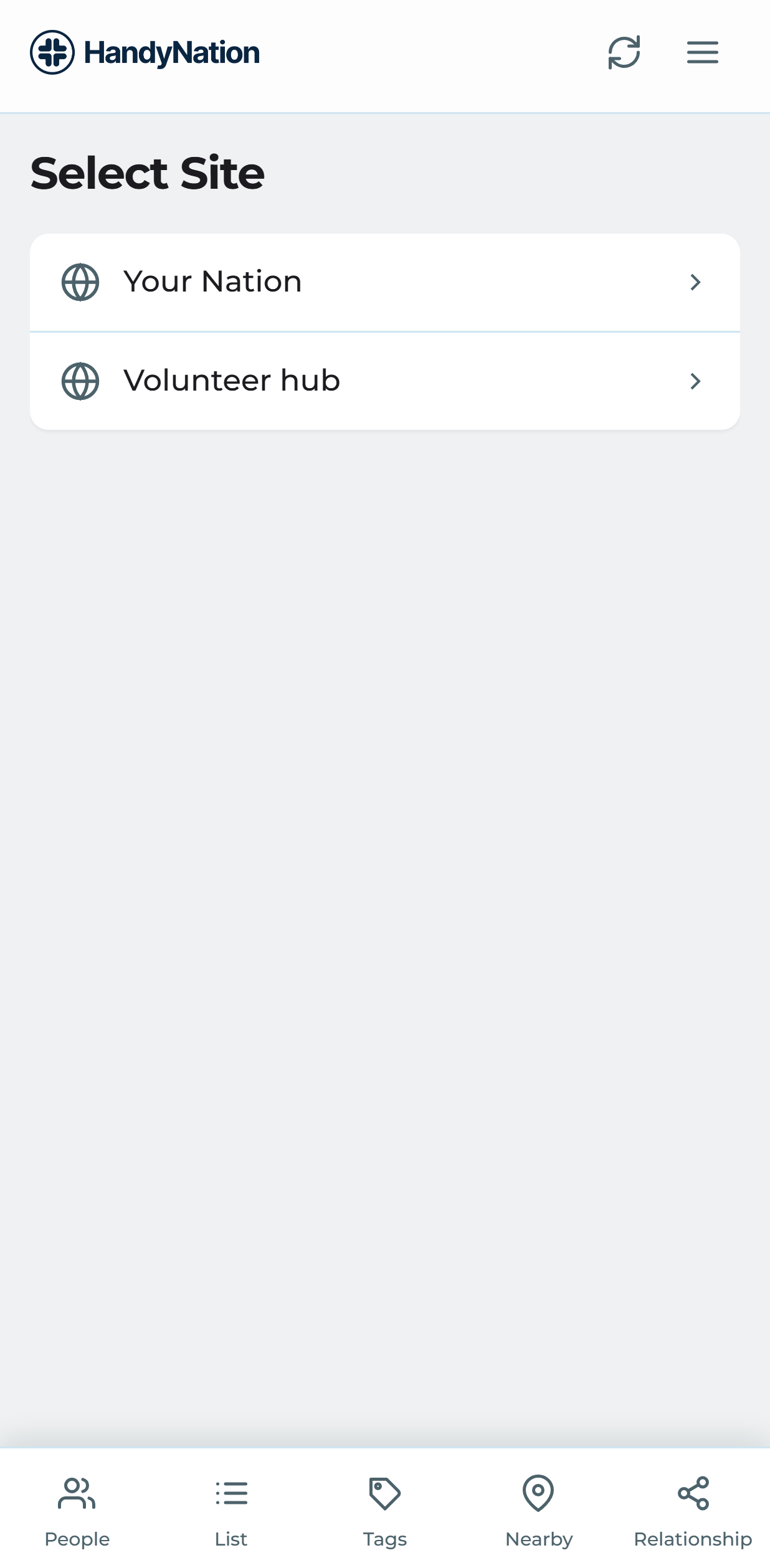
Choosing a site
Upcoming events for a site

The dashboard has its own Events page for office work, where events are selected and managed.
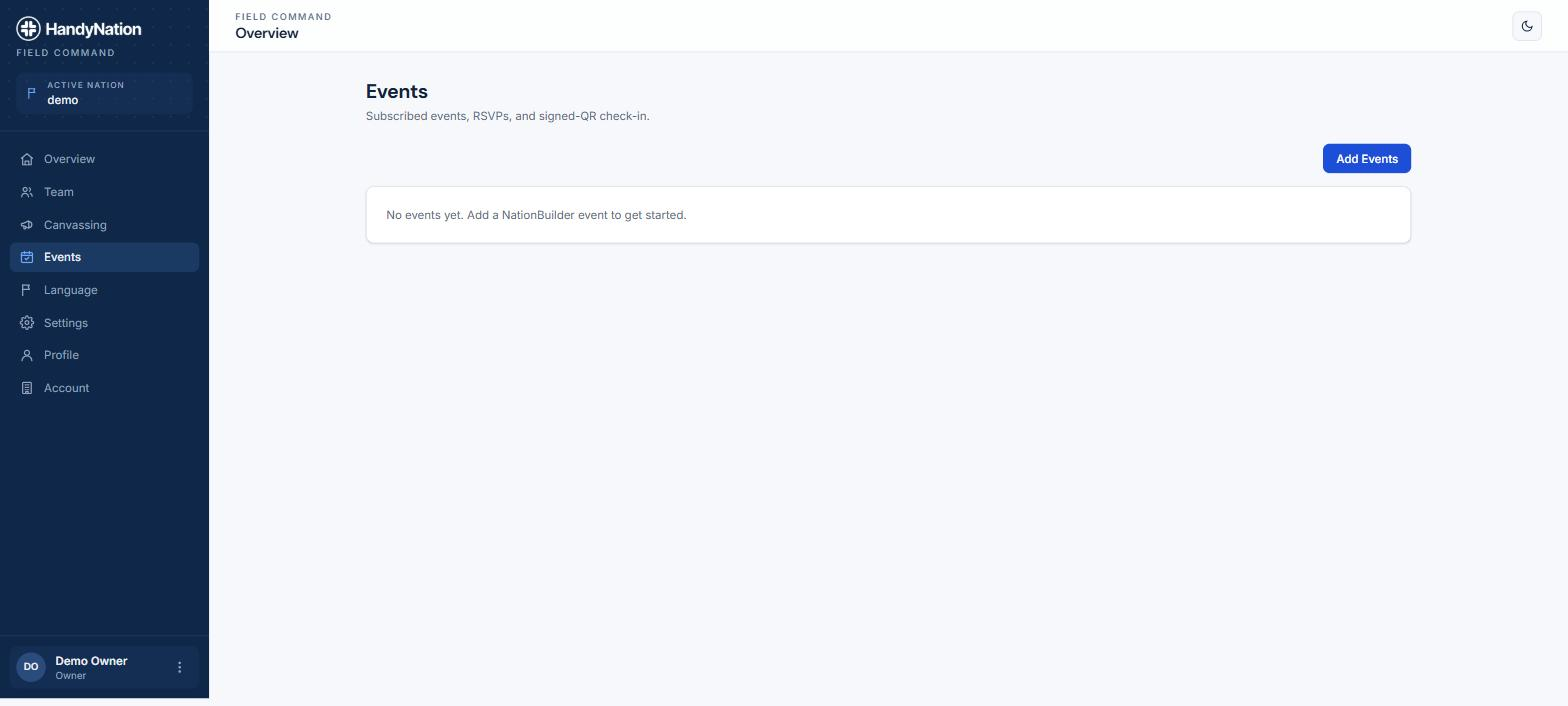
The Events page in the dashboard

Event details

Open an event to see its date, venue and RSVP count.
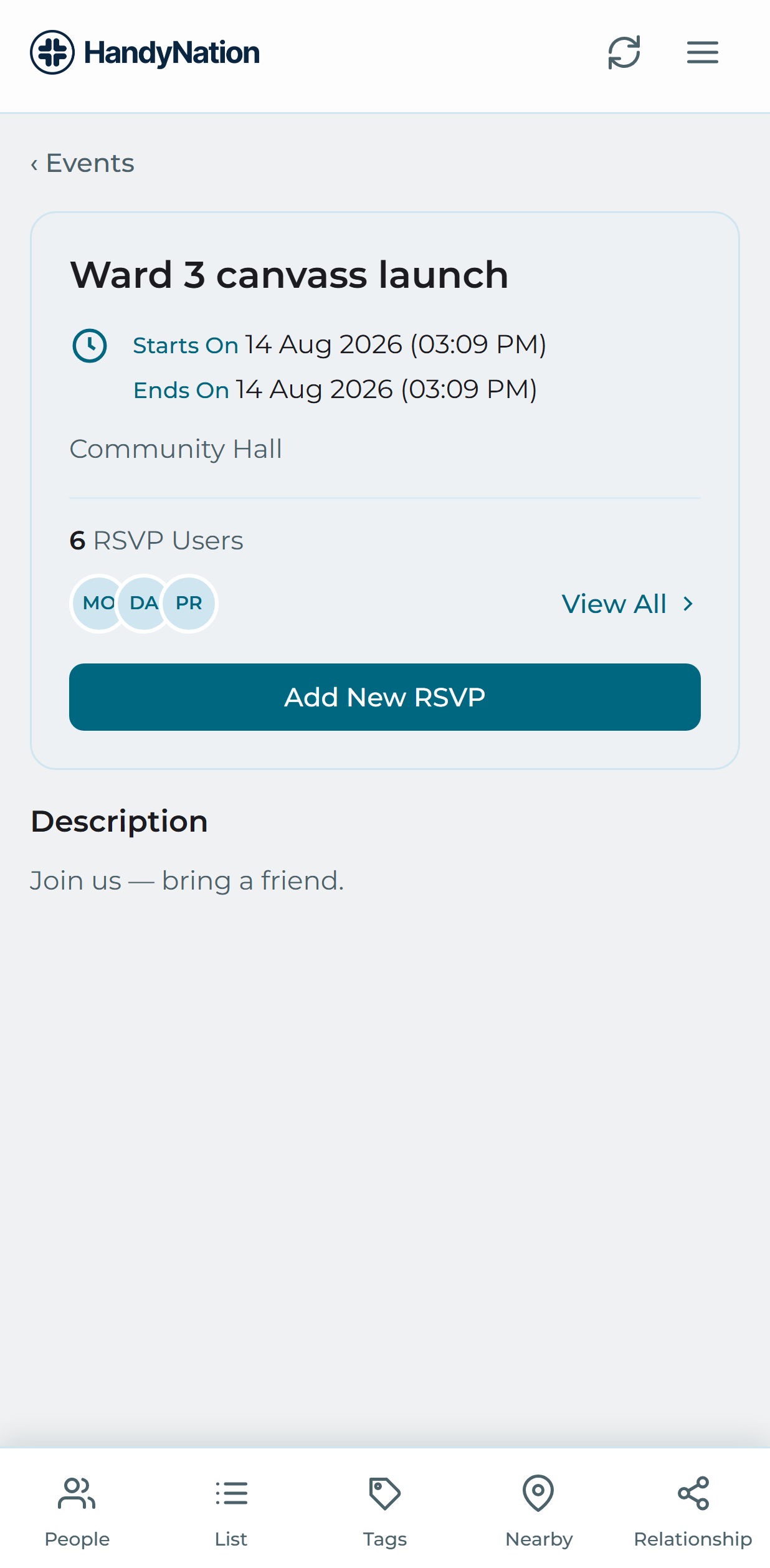
An event detail screen

RSVP to event

Use Add new RSVP on the event screen. Pick the people you want — several at once is fine. Anyone already RSVPed is shown ticked and read-only, and newly selected people move to the top.
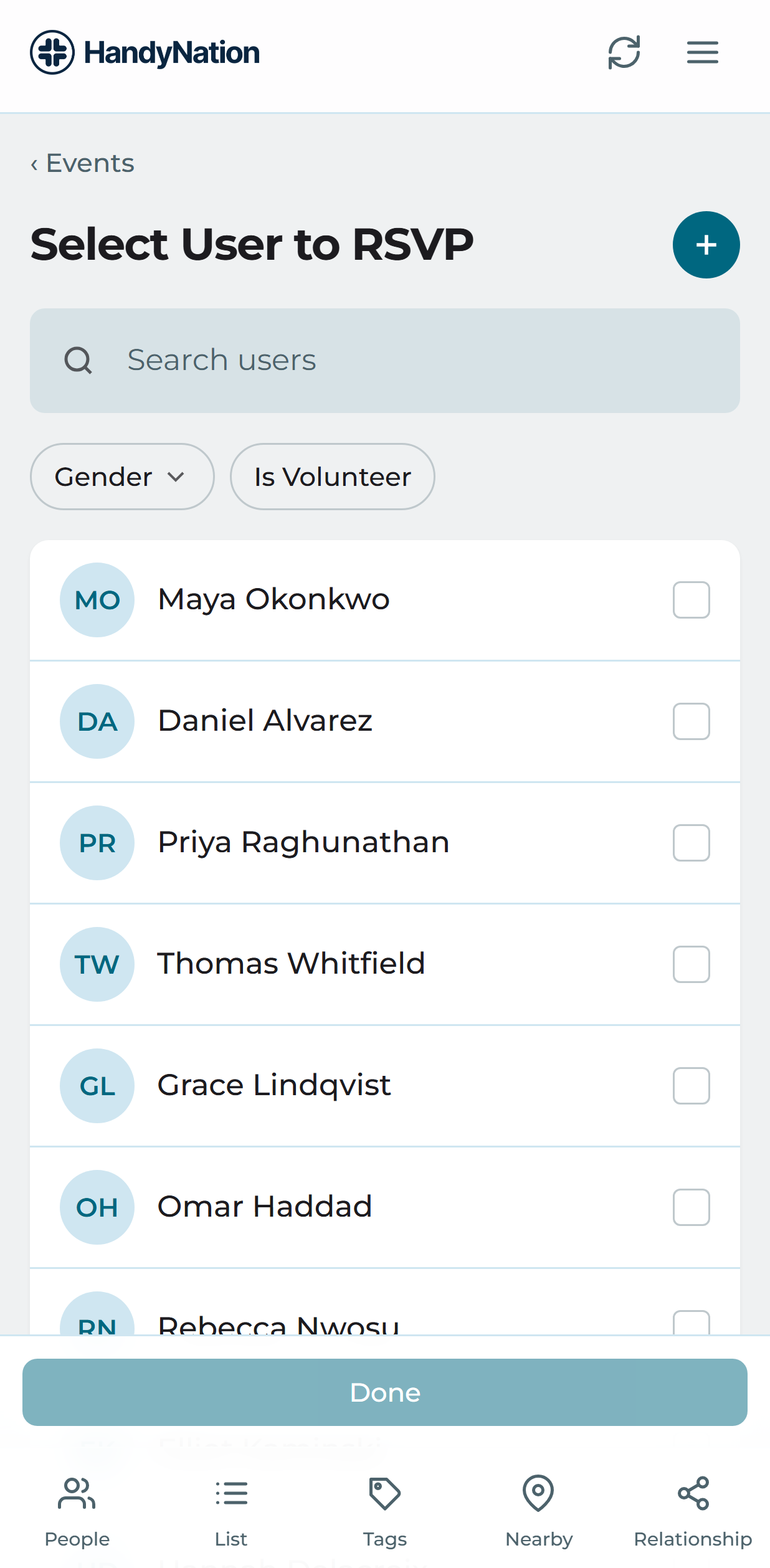
Choosing people to RSVP
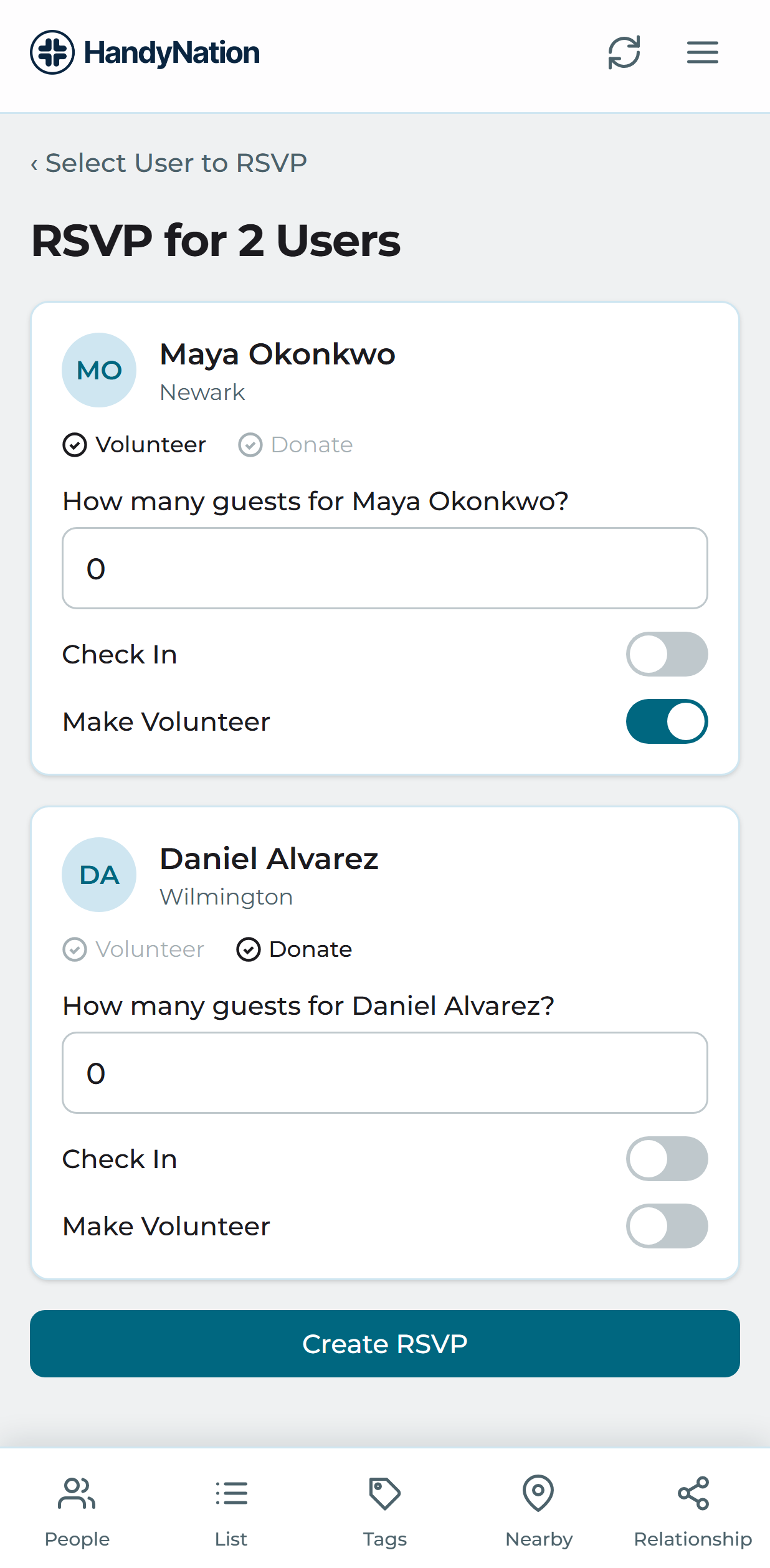
The RSVP form

On the form set how many guests are coming with them, check them in if they are already on the spot, and mark volunteer status. Confirm and you are done.

Check-in to event

Open the RSVP list from the event screen to see everyone expected. Check people in directly from the list, or open somebody to change their RSVP details.
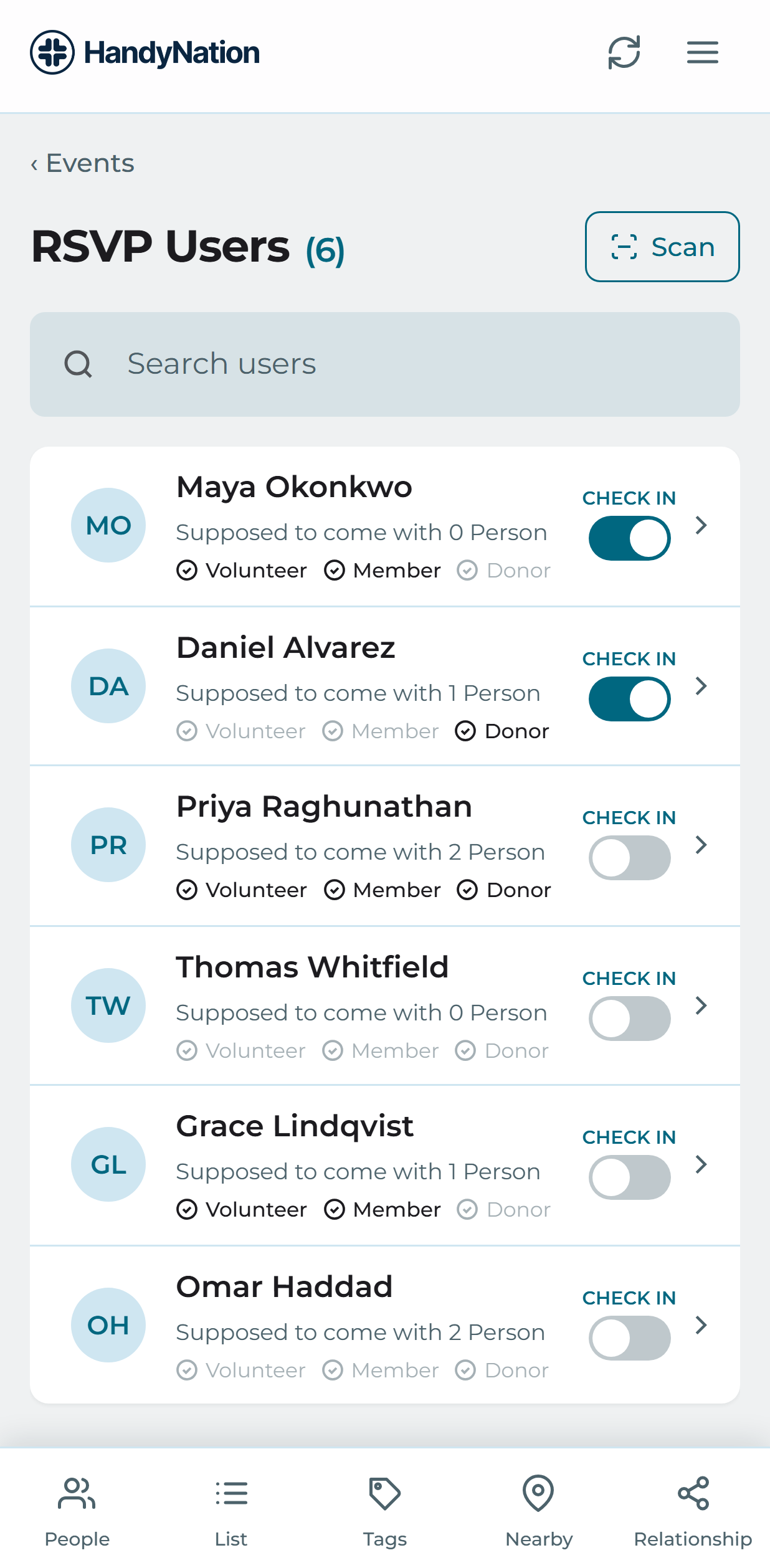
The RSVP list with check-in actions

Cancel RSVP

Open the person from the RSVP list and mark them as not coming. They are then counted as cancelled rather than expected.
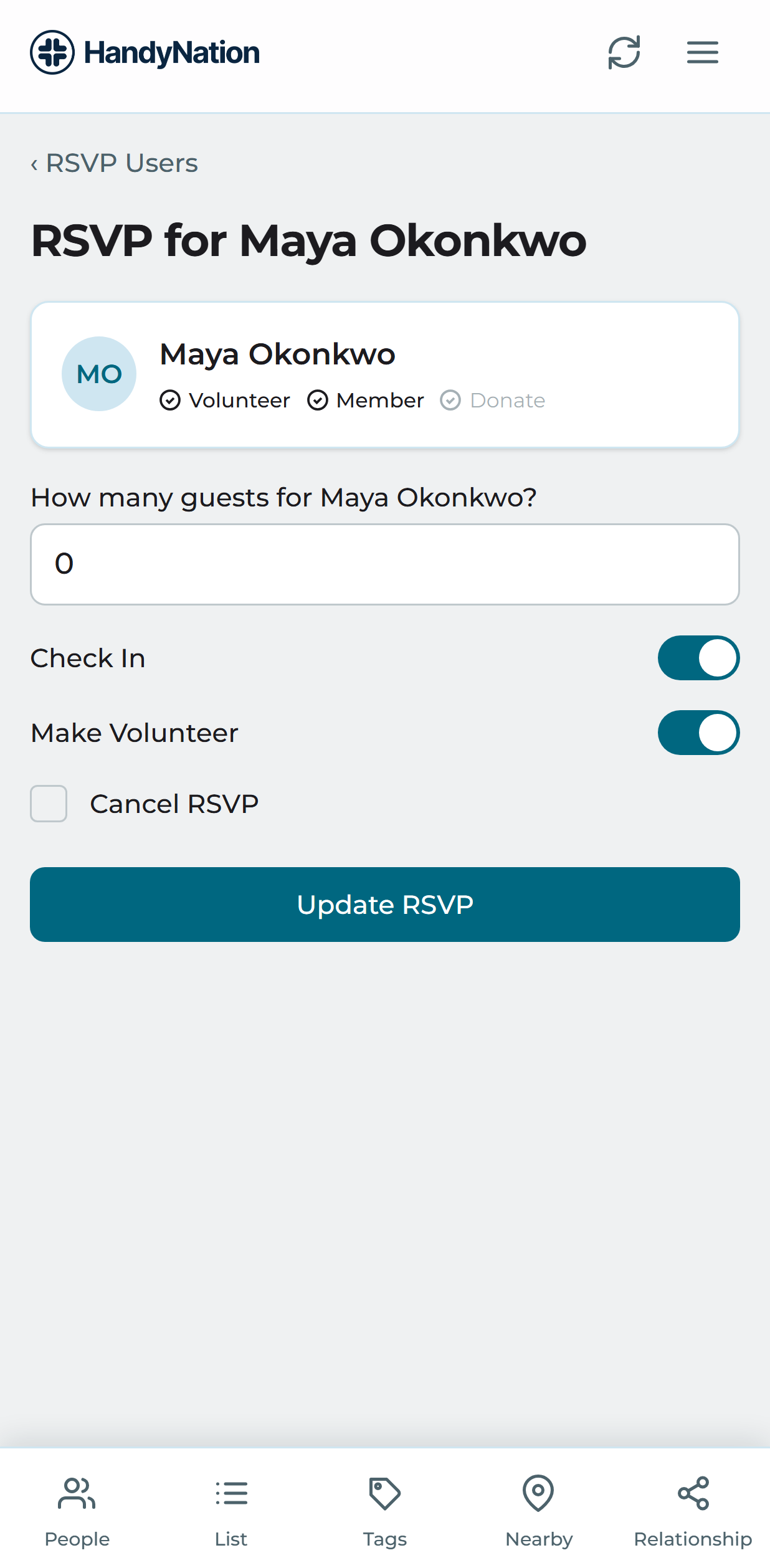
Cancelling an RSVP
PreviousCanvassing on the fieldNextQR based RSVP
HandyNation

HandyNation streamlines field operations — real-time sync, efficient canvassing, and customizable permissions — built for seamless NationBuilder integration.

Quick Links

  • Home
  • Features
  • Pricing
  • Custom App
  • Docs
  • Blog

Connect

  • Facebook
  • Twitter
  • Instagram
  • LinkedIn

Stay Updated

© 2026 HandyNation. All rights reserved.|
Privacy PolicyTerms of Services