DashboardUpdated on 11 August 2026
Manage Subscription
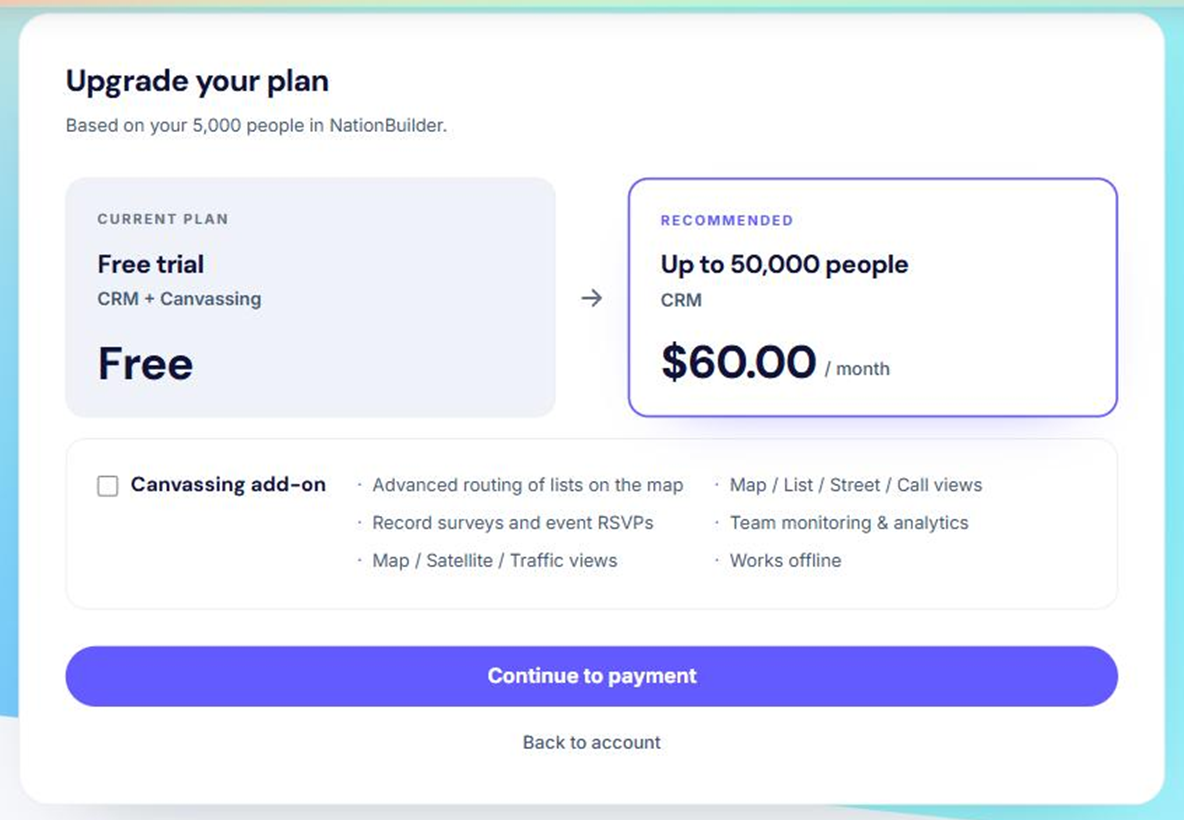
Upgrade account
There are two reasons you will need to upgrade.
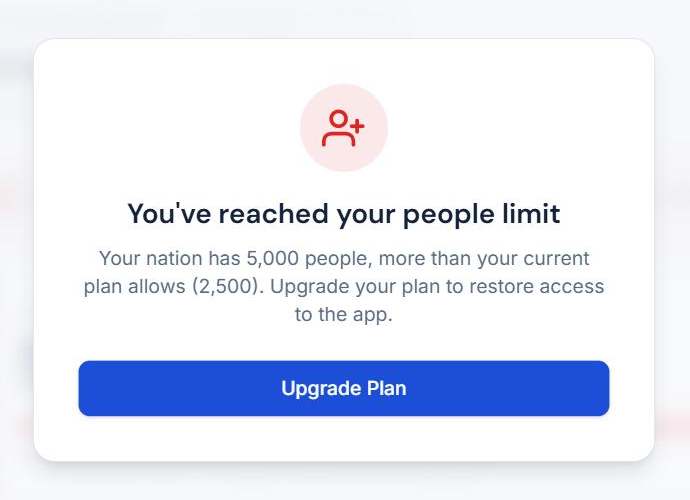
- Your database has grown past your current limit. Plans are tiered by the size of your NationBuilder database. Once your nation grows past the tier you are on, the dashboard holds you at a notice that names both numbers — the people you have and the cap you are on — with an Upgrade Plan button. Access is restored as soon as you move to a tier that fits.
- You want to add the canvassing add-on. If you did not take canvassing at signup, you can add it later. The canvassing area of the dashboard shows the upgrade prompt, or go straight to the plans page.
Both routes land on the same plans page, where you choose your tier and add-ons and confirm the change.
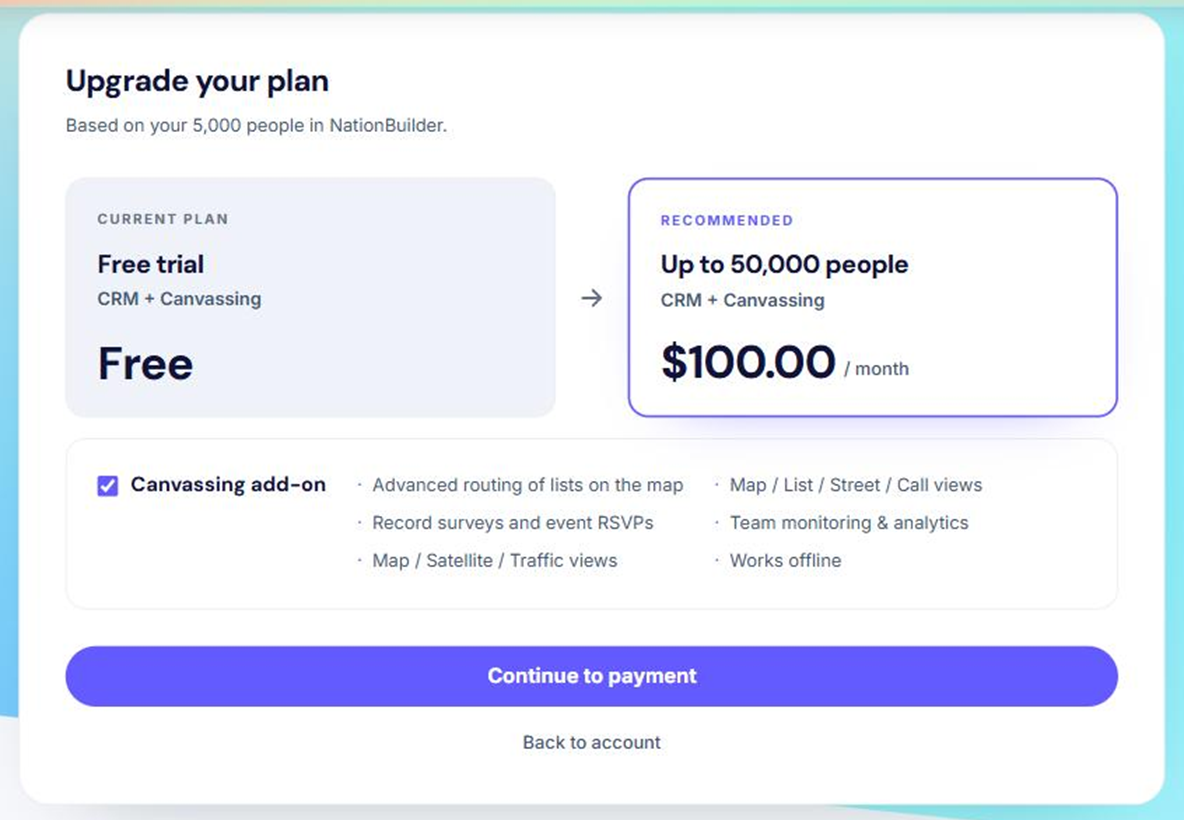
Downgrade
The one case for downgrading is dropping an add-on — usually canvassing, when a campaign ends and the team is no longer in the field.
Go to the plans page, untick the add-on and confirm. Your canvassing lists are kept; the canvassing navigation simply disappears until the add-on is switched back on.