HandyNation
FeaturesPricingCustom AppDocsSupportPartnership
Log in
Docs/CRM
  • Getting Started

    • Account Setup & Installation
    • Manage Subscription
  • Team Setup

    • Manage team member
    • Team member login
    • Permission sets
  • CRM

    • Manage user record
    • Advanced search
    • Tag a user
    • NationBuilder Tags
    • NationBuilder list
    • User actions
    • Nearby (proximity list)
  • Canvassing

    • Create canvassing list
    • Canvassing on the field
  • Events

    • Events
    • QR based RSVP
  • Multi Language

    • Select app language
    • Customize language text
  • Donations

    • View Donations
    • Add donation
Field appUpdated on 11 August 2026

NationBuilder list

Table of Contents

  1. Get NationBuilder lists and search within
  2. Get people of a specific list
  3. Edit List
  4. Email List CSV

Get NationBuilder lists and search within

The Lists tab shows the lists in your nation, newest first. Type in the search box to narrow them down, and use Sort beside it to switch between newest, oldest and name (A–Z).
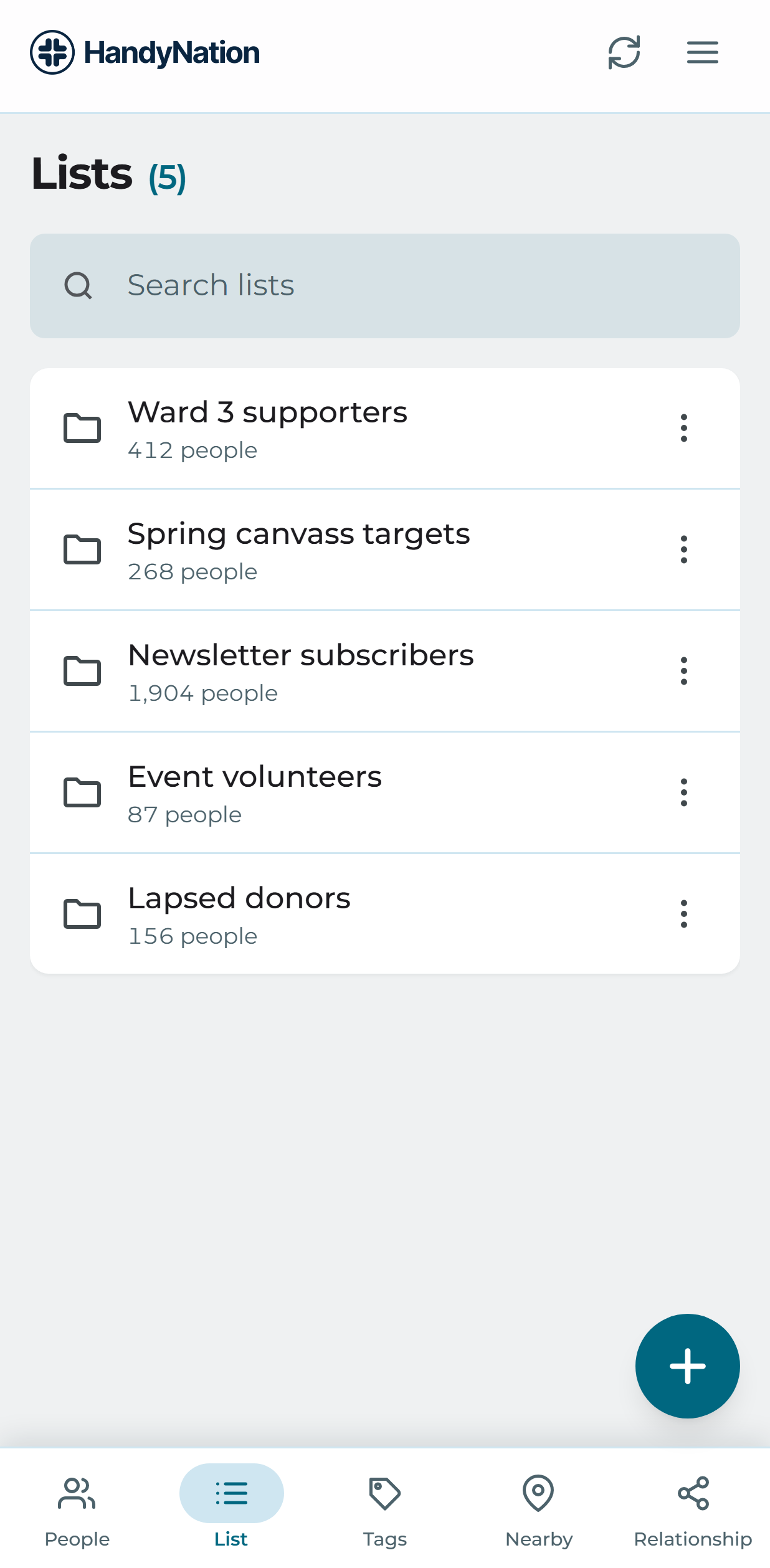
The Lists tab

Note: Search and sort both run on the server, across every list in your nation — not just the ones already on screen. The heading counts the whole catalogue, so it will not change as you scroll.

Get people of a specific list

Open a list to see everybody on it.
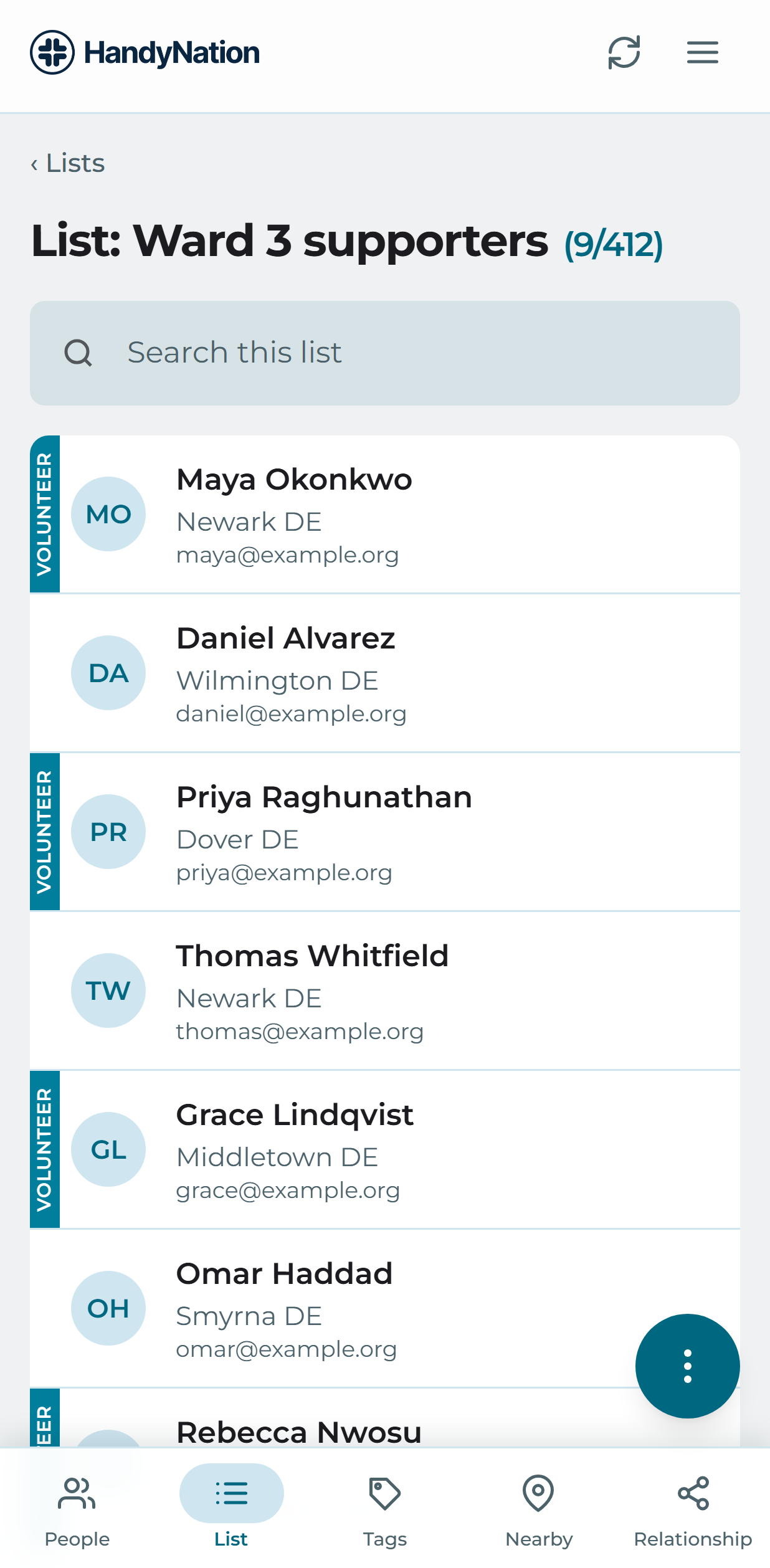
The people on a list

Edit List

The list menu carries the actions for the list itself — rename it, change its slug, or delete it. Deleting asks for confirmation first.
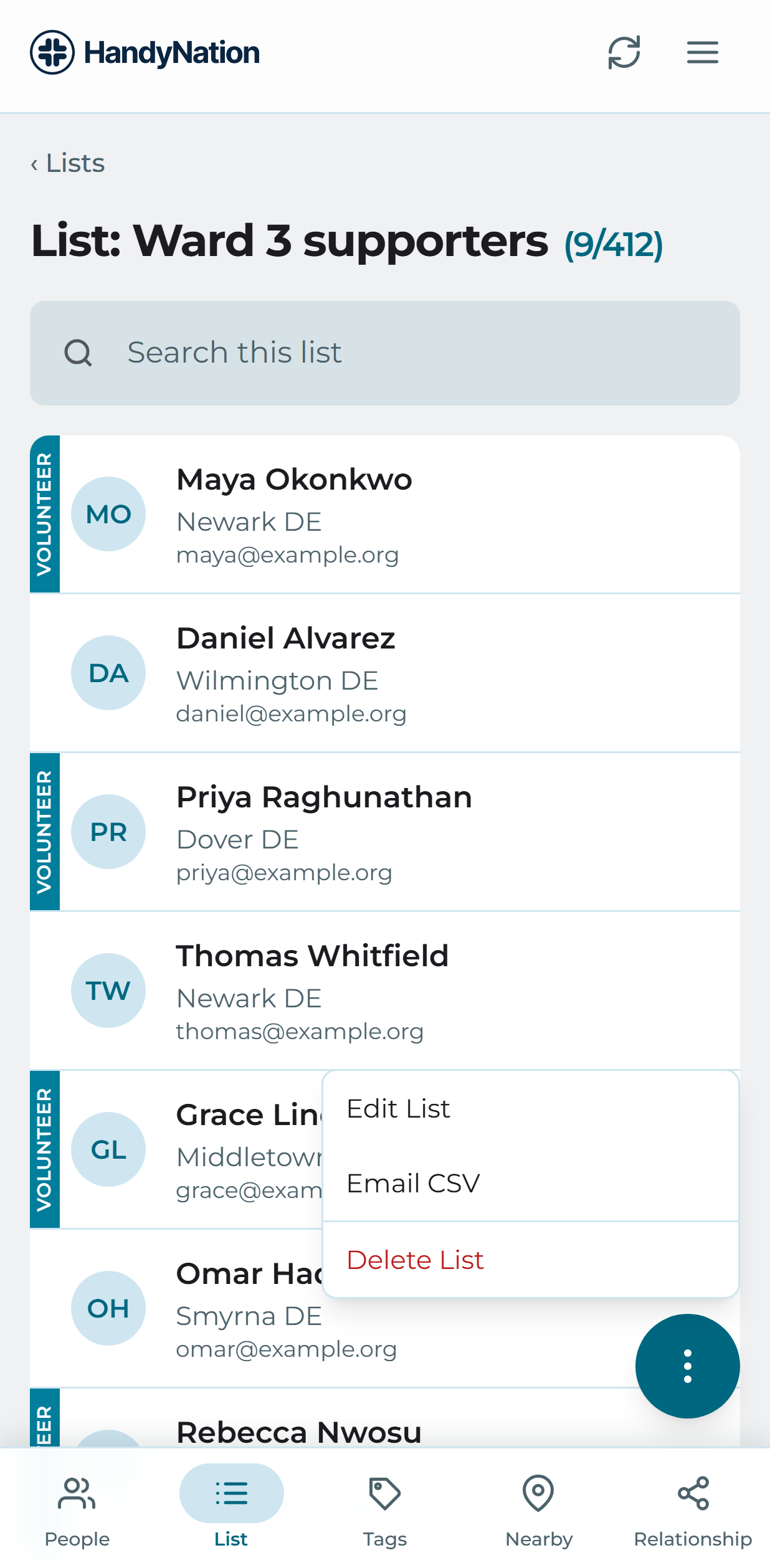
The list actions menu

Email List CSV

To send a list on as a spreadsheet, choose Email CSV from the same menu and give the address it should go to. The CSV is attached and sent.

Note: This action is hidden from staff members granted Disable export list — see Permission sets.

PreviousNationBuilder TagsNextUser actions
HandyNation

HandyNation streamlines field operations — real-time sync, efficient canvassing, and customizable permissions — built for seamless NationBuilder integration.

Quick Links

  • Home
  • Features
  • Pricing
  • Custom App
  • Docs
  • Blog

Connect

  • Facebook
  • Twitter
  • Instagram
  • LinkedIn

Stay Updated

© 2026 HandyNation. All rights reserved.|
Privacy PolicyTerms of Services