HandyNation
FeaturesPricingCustom AppDocsSupportPartnership
Log in
Docs/CRM
  • Getting Started

    • Account Setup & Installation
    • Manage Subscription
  • Team Setup

    • Manage team member
    • Team member login
    • Permission sets
  • CRM

    • Manage user record
    • Advanced search
    • Tag a user
    • NationBuilder Tags
    • NationBuilder list
    • User actions
    • Nearby (proximity list)
  • Canvassing

    • Create canvassing list
    • Canvassing on the field
  • Events

    • Events
    • QR based RSVP
  • Multi Language

    • Select app language
    • Customize language text
  • Donations

    • View Donations
    • Add donation
Field appUpdated on 11 August 2026

Tag a user

Table of Contents

  1. Add new tag
  2. Remove tag

Add new tag

Open a profile and use the add action beside the tag row. A field appears — type the tag and save.
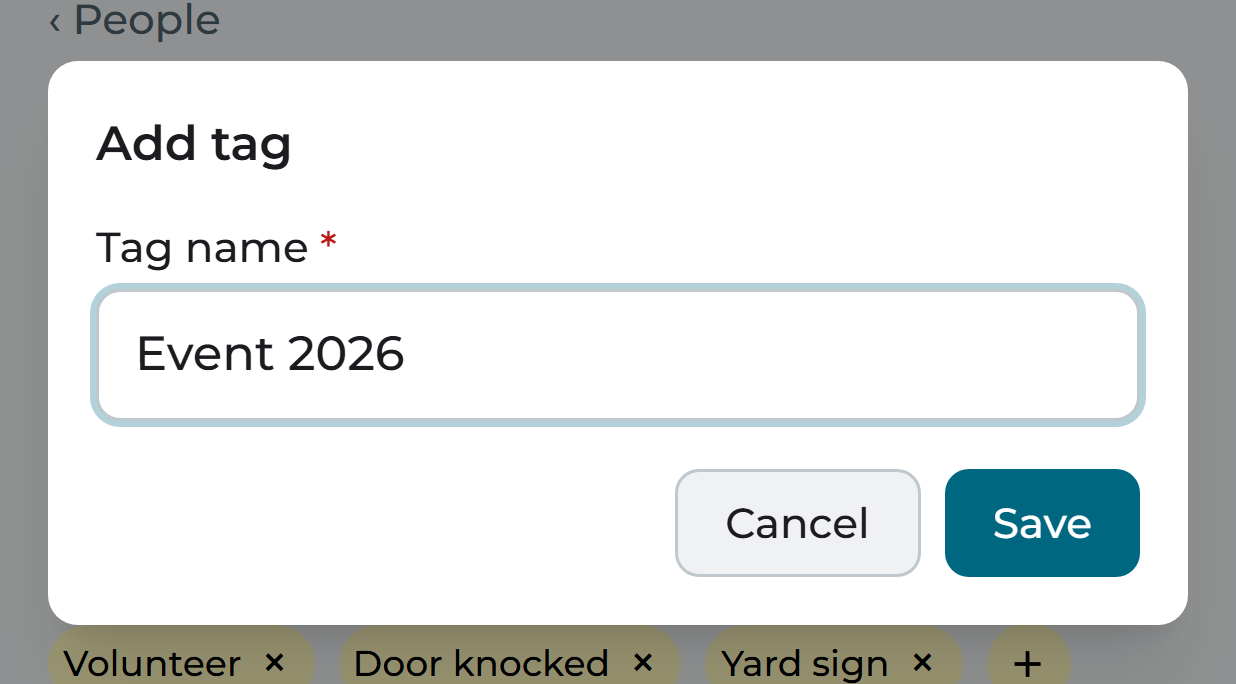
Adding a tag to a profile

Note: Tags are written to your nation and pushed to NationBuilder in the background, so a tag you add at the door shows up in the control panel shortly afterwards.

Remove tag

Tap the remove control on the tag you want to take off the profile.

Removing a tag from a profile
PreviousAdvanced searchNextNationBuilder Tags
HandyNation

HandyNation streamlines field operations — real-time sync, efficient canvassing, and customizable permissions — built for seamless NationBuilder integration.

Quick Links

  • Home
  • Features
  • Pricing
  • Custom App
  • Docs
  • Blog

Connect

  • Facebook
  • Twitter
  • Instagram
  • LinkedIn

Stay Updated

© 2026 HandyNation. All rights reserved.|
Privacy PolicyTerms of Services